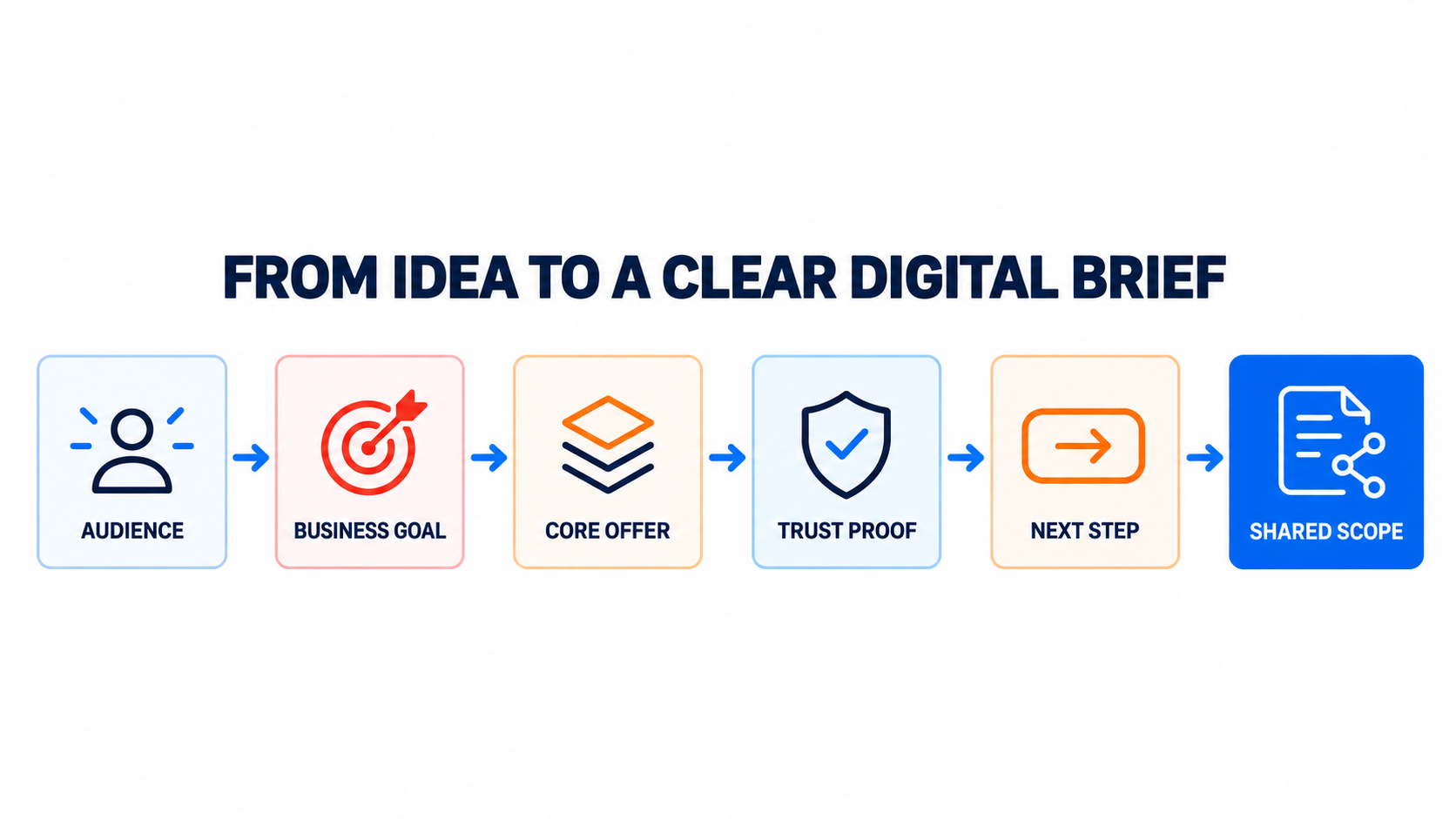
A website project rarely becomes difficult because a team lacks ideas. It becomes difficult when important decisions remain unclear while design and development are already moving.
A useful digital brief turns an idea into shared direction. It helps the business, brand, content, design and development work around the same audience and outcome. The brief does not need to be long. It needs to make the right decisions visible.
A digital brief is a decision tool, not a presentation
Many briefs collect background information but avoid the choices that shape the final experience. They describe the company, list desired pages and mention competitors, yet leave the project team to interpret what success should mean.
A stronger brief creates alignment before production begins. It explains who the experience is for, what the business needs to achieve, why the offer matters, what evidence supports it and what the visitor should do next.
Those five decisions form the connection between brand identity, digital strategy, content, user experience and technology.
Five decisions that create a clear scope
1. Define the audience precisely
“Everyone” is not a useful audience definition. A project needs to understand the people whose needs, expectations and objections should influence the experience.
Start with the situation rather than a broad demographic label. What is the visitor trying to solve? What information do they already have? What creates hesitation? What would help them feel confident enough to continue?
This level of clarity improves messaging, navigation, page structure and the relevance of every call to action.
2. Choose the primary business goal
A website can support several outcomes, but the project still needs a clear priority. The main goal might be to generate qualified enquiries, explain a complex service, support a sales process, build trust in a new brand or help customers complete a task.
When every goal is treated as equally important, the interface becomes crowded and the message becomes difficult to follow. A primary goal creates a basis for deciding what belongs on the page and what should remain secondary.
3. Express the core offer clearly
Visitors should not have to translate internal language into customer value. The brief should state what is offered, who it is for and what useful change it creates.
This is not a slogan exercise. It is a practical test of whether the value proposition can guide content and design. If the core offer is still vague, visual polish will not make the experience easier to understand.
4. Identify the trust proof
Claims need evidence. Depending on the service, useful proof may include case studies, specialist experience, a transparent process, certifications, customer outcomes, working examples or clear information about how the work is delivered.
The right proof depends on the audience’s concern. A potential client deciding whether to begin a complex project may need to understand the process and scope before they need a long list of features.
5. Decide the next useful step
A call to action should match the visitor’s readiness. “Contact us” can feel too broad when a person is still defining the problem. A guided assessment, a project planner, a focused consultation or a relevant case study may provide a more useful next step.
The goal is not to push every visitor into the same action. It is to create a clear path from interest to an appropriately qualified conversation.
What a clear brief changes
- Less avoidable rework. Teams make fewer late changes because the important priorities were agreed before production.
- Better content decisions. Writers know which questions must be answered and which proof points matter.
- More coherent design. Layout and interaction choices support the audience and objective instead of following preference alone.
- Stronger technical scope. Developers can distinguish essential functionality from ideas that do not support the first release.
- More useful measurement. Analytics can be planned around meaningful actions rather than surface-level traffic alone.
Where brand, UX, technology and growth meet
A connected digital project does not treat branding, content, usability, search visibility and development as isolated workstreams. Each one affects how a customer understands the offer and decides whether to trust it.
Google’s guidance recommends creating helpful, reliable, people-first content that gives visitors enough information to achieve their goal. Its page-experience guidance also emphasizes an experience that works across devices and keeps the main content easy to identify. The W3C Web Accessibility Initiative recommends including accessibility in planning, quality assurance and acceptance testing rather than postponing it until the end.
These principles support the same practical conclusion: quality improves when customer needs and delivery requirements are defined early.
A practical starting point
Before discussing page counts or visual references, answer these questions:
- Which customer situation is this project designed to improve?
- What is the most important business outcome?
- What must a visitor understand about the offer?
- What evidence will make the promise credible?
- What is the most useful next action for the visitor?
- What content, integrations and approvals are already available?
- How will the team recognize a successful first release?
The answers do not lock the project into a rigid solution. They create a shared starting point for discovery and make later choices easier to evaluate.
Turn the idea into a workable next step
BrandDigital’s Project Scope & Fit Builder helps organize an early idea into a more useful enquiry, including service fit, opportunity areas and indicative delivery considerations. You can also review how we work or explore our case studies to see how strategy, design and development connect in practice.